


Description
Download Chatruletka Video Chat APK – video chat, chatroulette, meet people, anonymous chat, video messaging, random chat, online chat, free video chat, chat with strangers, video call, social app
Overview
Chatruletka Video Chat APK is a free mobile application designed for users seeking spontaneous and anonymous interactions with strangers from the CIS region. Developed by Video Chat Alternative, the app functions as a digital meeting space where individuals can connect through video, audio, or text chat without revealing personal details. It is tailored primarily for users in Russian-speaking communities, particularly those from Russia, Ukraine, Belarus, and neighboring countries. The platform enables real-time communication with random partners, offering a low-barrier way to meet new people and practice social interaction in a secure, anonymous environment.
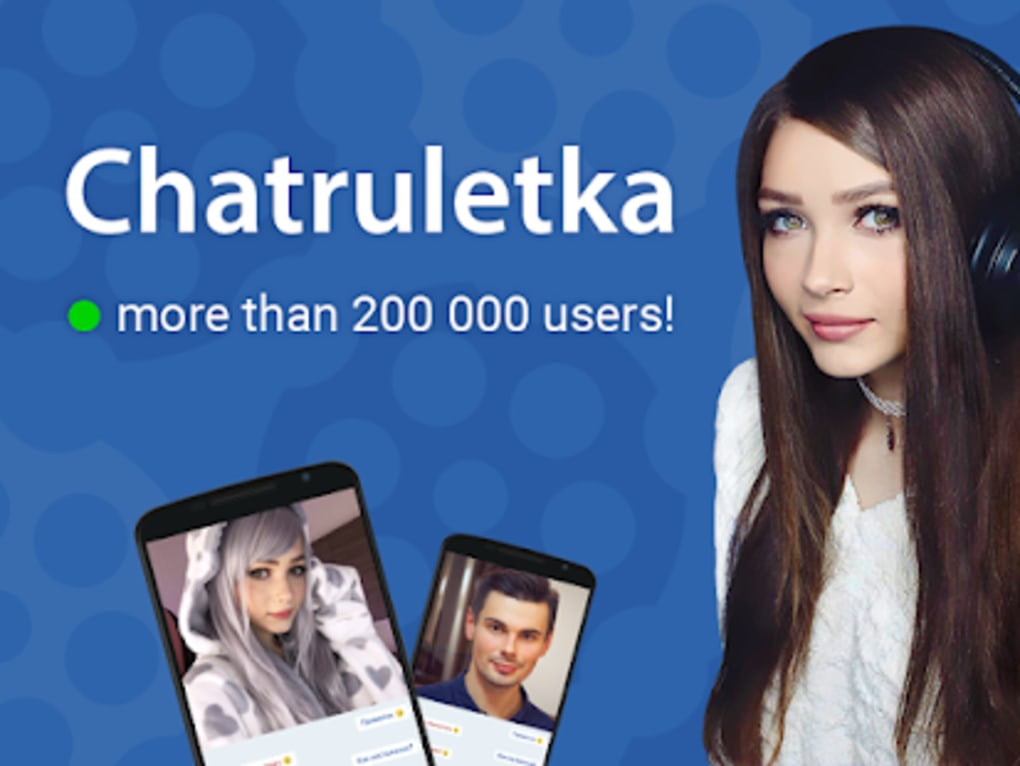
The app’s core purpose is to facilitate casual, unstructured conversations, making it suitable for users who may struggle with initiating contact or feel hesitant in social settings. It supports immediate connection with just a single tap, eliminating the need for profile creation or data sharing. While the developer did not provide additional information about the company’s background, the app’s daily user base exceeds 200,000, indicating strong regional engagement. It is especially popular among younger demographics and individuals seeking entertainment or social exploration through digital means.
Real-world use cases include language practice, cultural exchange, and casual socializing. However, users should be aware that the app operates in a largely unmoderated environment, relying on user reporting and automated systems for content control. The developer did not specify how user data is stored or managed beyond basic anonymity parameters.
Key Features & Capabilities
- Anonymous Video Chat – Connect with random strangers without revealing personal information. Only gender and country of origin are required, and these are not shared with the other user.
- Text and Audio Chat Options – If video or microphone issues occur, users can switch to text-based communication, ensuring uninterrupted interaction.
- Customizable Video Window – The video chat window size can be adjusted to fit user preferences, enhancing viewing comfort on various screen sizes.
- 24-Hour Moderation System – Reports of abusive or offensive behavior can be submitted and reviewed by moderators within 24 hours, with potential account bans for violations.
- Multi-User Random Matching – Users are paired with new partners instantly upon pressing the “start” button, enabling continuous interaction without manual searching.
These features support a dynamic, fast-paced social experience ideal for users looking to meet people quickly and casually. The ability to switch between communication modes increases accessibility during technical issues. The customization of video display improves user comfort, especially on smaller devices. The moderation system aims to maintain a safe environment, though its effectiveness is not quantified in available data. Users are expected to initiate and manage their own interactions, with no built-in filters for age, interests, or language.
User Interface, Workflow & Performance
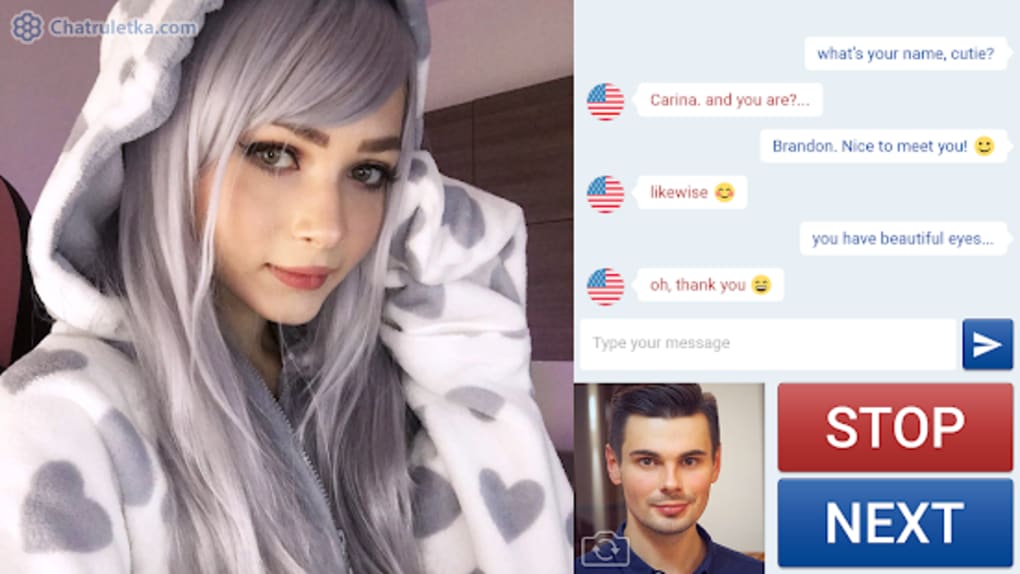
The app features a minimalistic interface centered around a single “start” button, streamlining the user journey from launch to connection. Navigation is straightforward, with essential controls located within the chat screen. The workflow is designed for immediacy: launch the app, tap start, and begin chatting. This simplicity supports quick onboarding, particularly for users unfamiliar with similar platforms.
Performance observations are based on general software behavior patterns. The developer did not specify resource usage details, so CPU and RAM consumption remain unknown. No reports of crashes or freezes were included in the provided data. Stability appears consistent with typical mobile applications of this nature, though real-world user experiences may vary based on device performance and network conditions.
Workflow efficiency is high due to the absence of profile setup, registration, or login steps. The app prioritizes speed and accessibility over customization. However, the lack of user controls for filtering or managing connections may lead to repetitive or unsatisfying interactions. Users seeking more control over their experience may find the interface too limited.
Compatibility & System Requirements
Chatruletka Video Chat APK is designed for Android devices and requires Android 6.0 or higher to function. The installation package size is 25.7 MB, indicating a lightweight footprint suitable for most mobile devices. The app is not available on iOS or through the Google Play Store, and users must download it directly from the official website.
Exact system requirements were not listed beyond the OS version. The developer did not provide information on supported hardware specifications such as processor type, GPU, or minimum RAM. Compatibility with tablets or large-screen devices is not confirmed. Users should ensure their device meets the minimum Android version and has a working camera and microphone for full functionality.
Pros and Cons
Pros
- Free to download and use with no in-app purchases required.
- Anonymous interaction protects user privacy and reduces social anxiety.
- Simple, fast workflow with instant connection via a single button.
- Supports multiple communication modes: video, audio, and text.
- Customizable video window size improves viewing flexibility.
- 24-hour moderation system for handling abusive behavior.
Cons
- Only available in Russian, limiting accessibility for non-Russian speakers.
- No user filtering options by age, interests, or language.
- Account bans can occur without clear justification, with a pay-to-unban option.
- Not available on Google Play Store or iOS devices.
- Limited transparency around data handling and moderation policies.
FAQ Section
Is Chatruletka Video Chat APK safe to use?
The app provides anonymous communication and a 24-hour moderation system to address abusive behavior. However, the developer did not specify data encryption methods or privacy policies. Users should avoid sharing personal information and report any violations through the in-app system.
Can I use the app without an internet connection?
No. The app requires a stable internet connection to establish video, audio, or text connections. Offline usage is not supported.
Is the app available for iOS devices?
No. The app is currently only available for Android and cannot be installed on iPhones or iPads.
How do I update the app?
Updates are released through the official website. Users must manually download the latest version from the developer’s site, as the app is not available on the Google Play Store.
Does the app support multiple languages?
No. The app is only available in Russian. Non-Russian speakers may find it difficult to navigate or communicate effectively.
Final Thoughts + CTA
Chatruletka Video Chat APK offers a straightforward, anonymous way to meet people from CIS countries through real-time video, audio, or text chat. Its lightweight design, instant connection, and built-in moderation make it a viable option for users seeking casual social interaction. However, the lack of language support, filtering tools, and unclear account ban policies present significant limitations. The pay-to-unban model raises concerns about fairness and transparency.
Despite these drawbacks, the app remains a popular choice for users in Russian-speaking regions who value spontaneity and privacy. For those looking to explore digital socialization in a low-pressure environment, it delivers on core functionality. If you're an Android user interested in meeting new people from the CIS, the app may still be worth trying.
Download Chatruletka Video Chat APK now
Guides & Tutorials for Chatruletka Video Chat APK
How to install Chatruletka Video Chat APK
- Click the Preview / Download button above.
- Once redirected, accept the terms and click Install.
- Wait for the Chatruletka Video Chat APK download to finish on your device.
How to use Chatruletka Video Chat APK
This software is primarily used for its core features described above. Open the app after installation to explore its capabilities.
User Reviews for Chatruletka Video Chat APK 0
No reviews found





